When you choose a crypto exchange, you now look not only at trading fees or the list of coins, but also at how comfortable the mobile app is to use. People open trades on the way to work, watch the market while travelling and manage spending with a few taps on the screen. Because of this, the mobile app often becomes the "face" of the platform and decides whether you stay with the exchange for the long term.
This article covers five popular exchanges with mobile apps – OKX, Binance, Crypto.com, KuCoin and Bybit – and explains who each one is best for and how to pick the right option for your needs.
Why a mobile app has become standard for crypto exchanges
For many people, the smartphone has replaced the computer. You log in to the exchange from your phone, check your balance, open trades and withdraw funds directly from the app. It is fast and convenient, so expectations for the quality of the interface keep growing.

A modern crypto exchange app lets you sign up, complete KYC, top up your account, trade and use extra services. Many use cases no longer require a desktop at all. That is why you do not only choose the brand of the exchange, but also how easy it is to work in its mobile app.
How we chose crypto exchanges with mobile apps
For this review, we picked exchanges that have a full-featured mobile app for both iOS and Android and that actively improve this product. We looked not only at trading volume, but also at how well the smartphone experience is built.
Key criteria for choosing an exchange:
- availability of core exchange features in the app (spot, derivatives, staking or Earn);
- support for payment scenarios: cards, P2P, internal transfers;
- presence of a Web3 wallet or DeFi integration where promised;
- flexible security settings not only on the website, but also inside the app;
- a clear interface without cluttered screens.
As a result, five platforms made it into the review: OKX, Binance, Crypto.com, KuCoin and Bybit. Each exchange has its own focus – from Web3 to derivatives and card services.
OKX – crypto exchange app with a built-in Web3 wallet
OKX combines a classic centralized exchange and a Web3 ecosystem. You can see this right from the main screen of the app. You have the exchange section and a separate block with the Web3 wallet. Through the OKX mobile app you can:
- trade on spot and derivatives markets, open and close positions;
- use the Earn section for staking and fixed-income products;
- work with a multichain Web3 wallet that supports dozens of networks;
- access DeFi protocols, the DApp browser and the NFT marketplace.
The interface is designed so you can quickly switch between the centralized part and the non-custodial wallet. The app shows balances separately, which makes it easier to keep track of your assets.
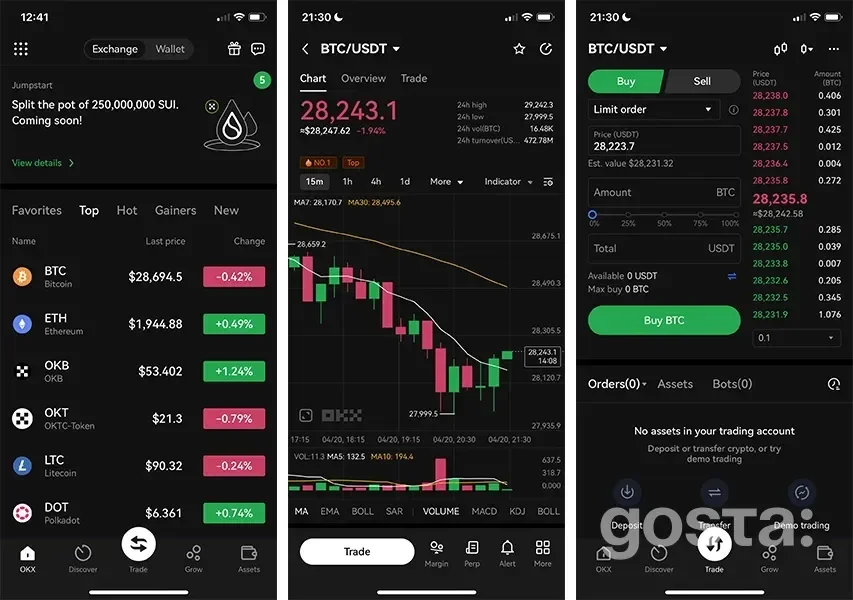
On the security side, the app supports biometric login, an in-app PIN and two-factor authentication. The exchange regularly reminds you how to store your seed phrase properly, which is important for the Web3 wallet. This setup is a good fit if you want to keep both your exchange account and Web3 activity in one app.
Binance – crypto exchange app for active trading
Binance is the largest exchange by audience in this review. The mobile app is built for different types of users – from beginners to professional traders. For this, there are two modes: Lite and Pro.
In the Binance app you can:
- buy and sell crypto on the spot market;
- trade with margin and futures using different order types;
- use the P2P service for fiat deals;
- put funds into Earn products;
- set price alerts and track the market in real time.
The main screen in Pro mode can be customized. You choose which blocks you want to see: markets, portfolio, P2P, derivatives or Earn. This matters if you spend a lot of time in the app and want to reduce the number of taps.
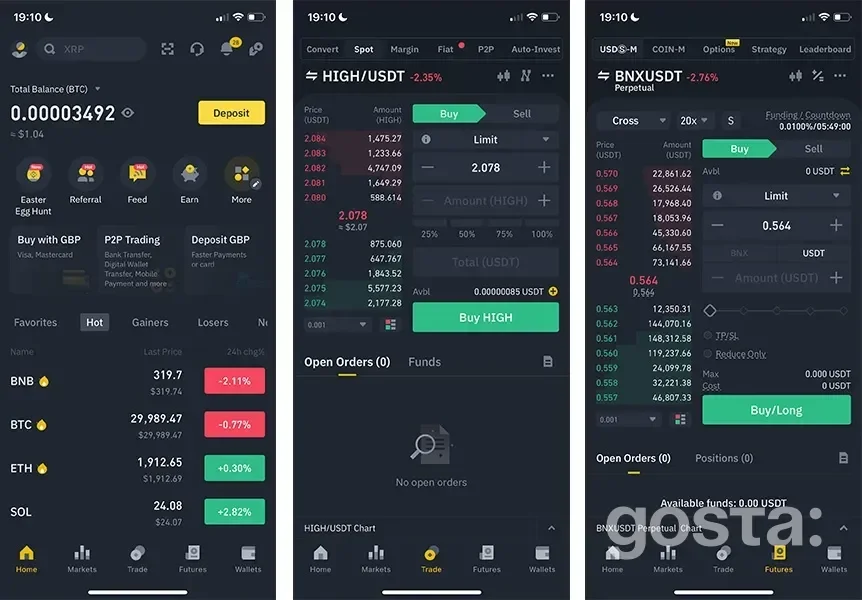
Binance pays a lot of attention to security. The exchange offers standard tools: 2FA, anti-phishing codes, biometrics and device management. You can set all of this up directly in the app. For an active trader, this is convenient – you do not have to go to the web version every time you want to change security settings.
Crypto.com – crypto exchange app focused on card and spending
For Crypto.com, the mobile app is the center of the whole ecosystem. It handles the wallet, exchange functions and card services. The interface looks more like a finance app than a classic trading platform.
Key features of the Crypto.com app:
- buying and selling crypto for fiat, topping up with bank cards;
- swapping tokens inside the wallet;
- access to selected exchange tools;
- full control of the Crypto.com card: limits, blocking, security settings;
- viewing cashback and transaction history.
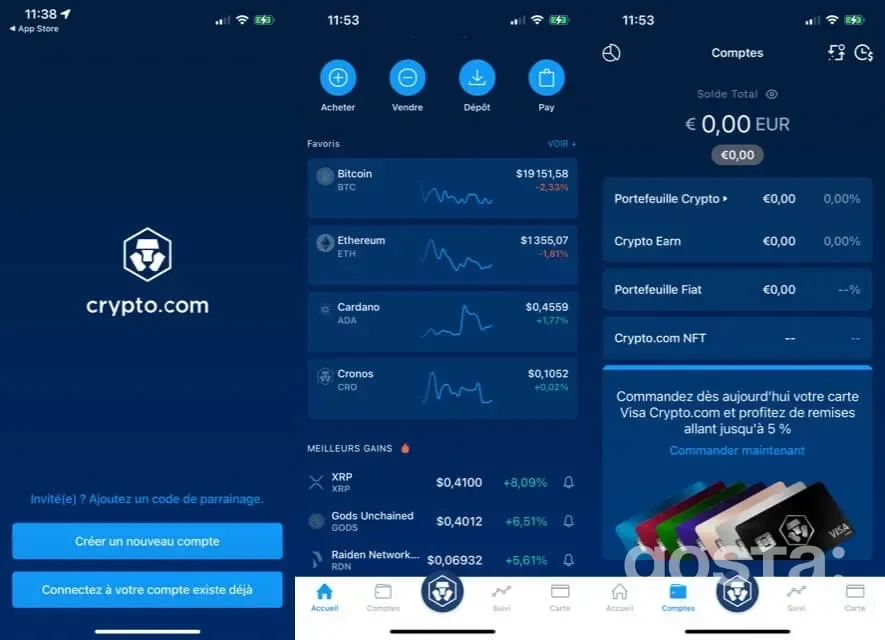
A strong point of this exchange is spending analytics. The app shows your expenses for a chosen period, breaks them down by category and displays earned cashback. You see your spending picture much like in a mobile banking app. For security, the app supports biometrics, a PIN and two-factor authentication. Crypto.com is a good option if you want to combine an exchange, a card and expense tracking in one mobile app.
KuCoin – crypto exchange app for bots and card payments
KuCoin targets users who trade actively and use extra tools. The app includes classic markets, trading bots and payment features.
In the KuCoin mobile app you have:
- spot and futures trading with a wide choice of coins;
- trading bots to automate strategies;
- Cross Margin for futures, where your whole margin balance works as shared collateral;
- KuCoin Pay for quick transfers between users;
- management of the KuCoin KuCard in regions where it is available.
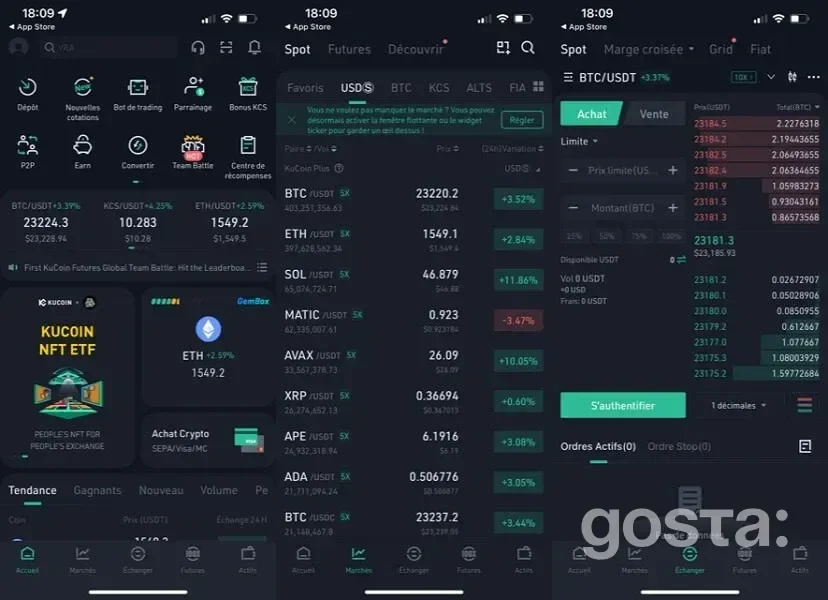
This set of features makes the app quite dense. You will need time to understand all the sections. In return, the exchange gives you tools on your phone that other platforms often limit to desktop or do not offer at all.
If you use bots and futures, it is important to set up security and limits properly. KuCoin provides a standard set of tools to protect your account, but you still carry the main responsibility for risk management.
Bybit – crypto exchange app for derivatives and staking
Bybit is known mainly as a derivatives platform. The mobile app follows this focus. The interface puts futures and options on the same level as spot markets. In the Bybit app you can:
- trade on the spot market and open simple positions;
- work with futures contracts and options;
- use Earn products for staking and fixed income;
- manage the Bybit card where available, track cashback and spending.
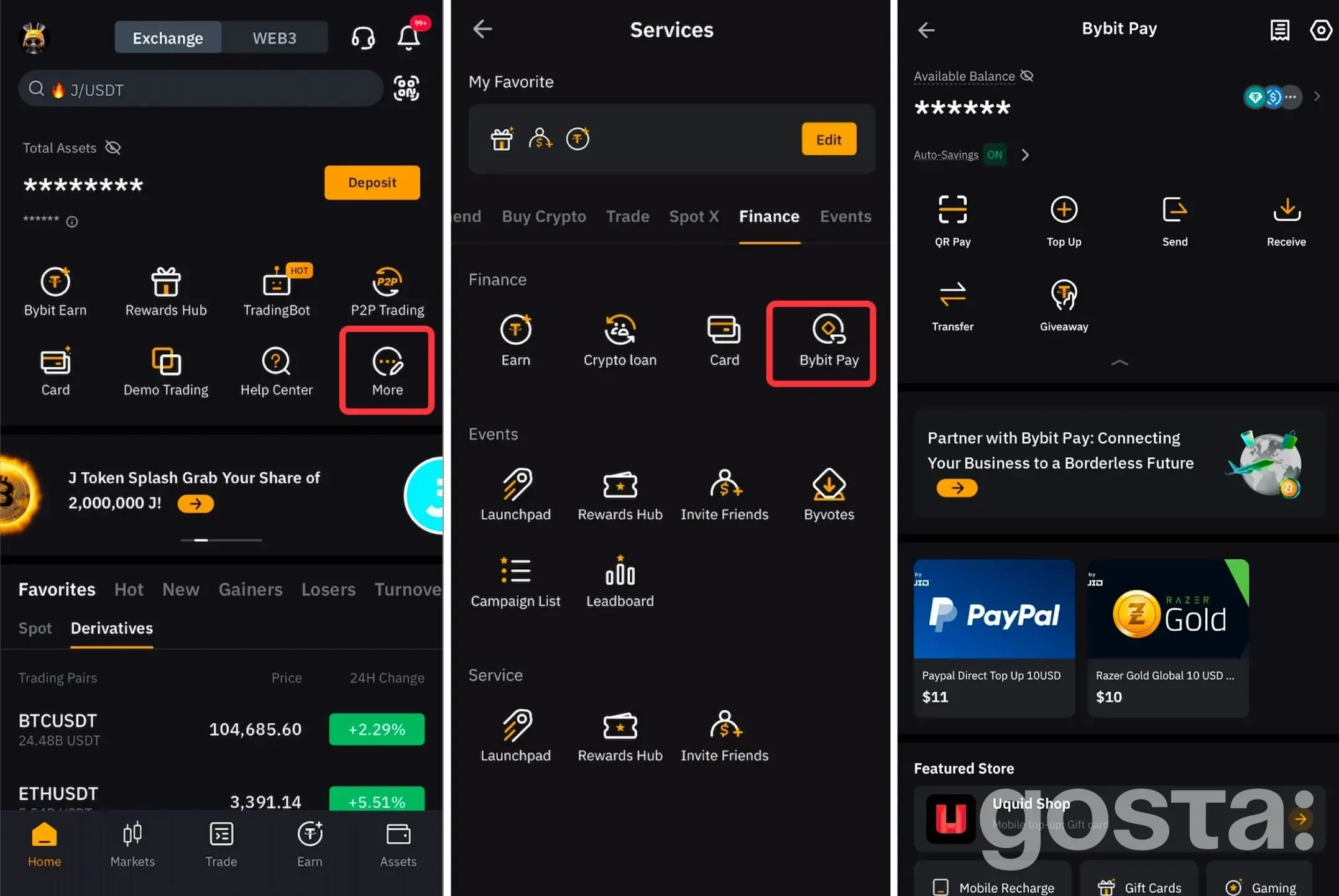
This exchange is aimed at users who understand derivative risks and use leverage. The app gives quick access to opening and closing positions, which is convenient but demands discipline. For beginners, the interface may feel complex. If you are just starting out, it is better to stick to spot trading in the app first and only then move on to more advanced tools.
Comparing crypto exchange apps – which one works better for you?
When you look at exchanges with mobile apps, it is not enough to count how many tools they have. You need to understand which scenarios each app is built for. Some platforms focus on Web3 and DeFi, others on derivatives, and others on cards and everyday payments. It is useful to see each app through the lens of "who it is most convenient for" and which limitations you should keep in mind.
Crypto exchanges with mobile apps
Each exchange in this article has its own "role". OKX focuses on the Web3 wallet, Binance on maximum exchange functionality, Crypto.com on the card and spending, KuCoin on bots and payment services, and Bybit on derivatives.
A practical way to choose:
- if you want one app for both an exchange and a Web3 wallet, look closely at OKX;
- if deep trading and many tools on your phone are key, Binance or KuCoin are a logical choice;
- if the card and control of everyday spending come first, Crypto.com or Bybit may be more convenient;
- if your main focus is derivatives, the Bybit app will likely be one of your primary options.
It helps to install several apps, go through the basic steps and see which interface feels most natural to you. Over time, most people end up with one or two main exchanges, while the others stay as backup.
What to keep in mind when choosing an exchange's mobile app
When you choose a platform, it is not just about the exchange's name. It is about how logically the app works in your daily routines. Key actions – logging in, confirming operations, checking balances, opening trades and managing the card – should be simple, with no unnecessary steps. The interface should stay clear even when the market is moving fast.
It is useful to check from time to time whether there are updates that change trading conditions, fees or how operations are processed in the app. If an exchange makes access to needed tools more complicated, ignores stability issues or offers weak security settings, it is better to consider other options. Flexibility in choosing a platform and a careful attitude to security let you use a mobile app as a convenient working tool, not as a compromise between speed and risk.
FAQ about crypto exchange mobile apps
Can You Work Only Through the Mobile App, Without a Computer?
Yes, for most use cases the app is enough. You can sign up and pass KYC, top up your account, trade, withdraw funds and use staking from your phone. A desktop is more convenient mainly for deep analysis and monitoring many charts at once.
What Are the Minimum Security Requirements for a Crypto Exchange App?
You should turn on two-factor authentication, biometrics and an in-app PIN. Do not store passwords in notes, send them in messengers or keep screenshots with sensitive data. It also helps to review the list of authorized devices from time to time.
Should You Use Several Mobile Apps From Different Exchanges?
Yes, that is a common approach. You can keep one app for long-term investing, another for active trading and a third for card payments and everyday expenses. The main thing is not to mix up accounts and not to reuse the same passwords.
What Is the Difference Between Simple and "Advanced" Modes in a Crypto Exchange App?
In simple mode, you see only basic features like buy, sell and balance overview. Advanced mode opens access to futures, margin, more order types and extra sections. If you are new, it is better to start with the simple mode and switch to the full version later.
How Do You Know a Crypto Exchange App Is Not Right for You?
If you keep getting lost in the interface, spend a lot of time searching for simple actions and feel tense every time you make a transaction, it is worth trying another app. A crypto exchange should give you a feeling of control, not extra stress – especially when you are dealing with money.