
10 Tech Gifts Under $50 That Fix Little Everyday Annoyances
The charging cable that disappears behind the desk. The laptop with too few ports. The bedside light that wakes someone else. These tech gifts under $50 start with a familiar annoyance—and give you a specific way to fix it.

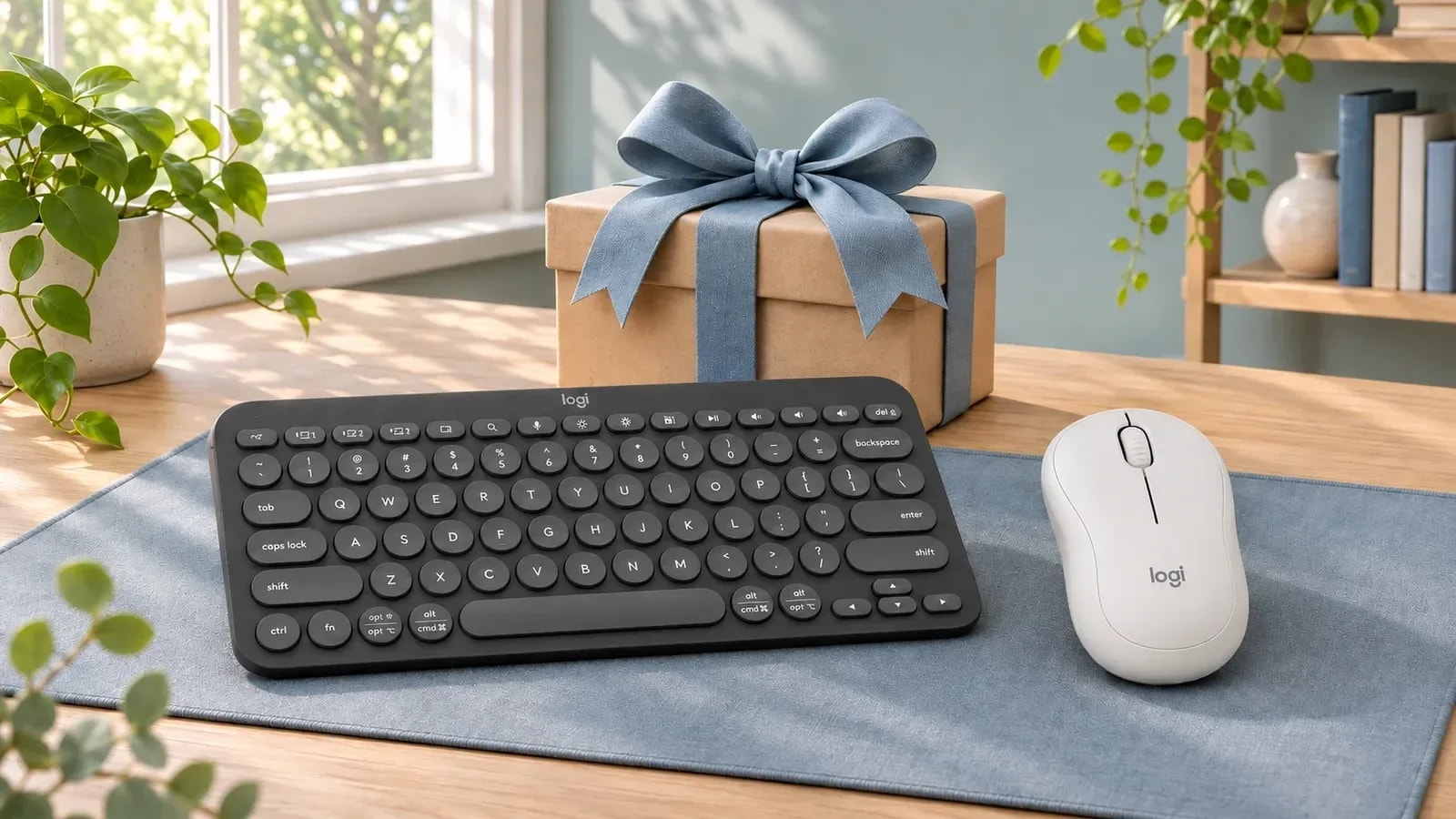
Useful tech gifts under $50 make an ordinary task easier: keeping a phone charged on the way home, plugging a monitor into a thin laptop, or reading another chapter without lighting up the bedroom. You probably already know which little annoyance follows your friend around. It is the cable they keep fishing off the floor, the mouse that clicks through every quiet moment, or the battery warning that appears halfway through an afternoon out.
That is a better starting point for a gift than a long list of features. The ten picks below cover different routines, with specific models and the practical details that decide whether they will get used. Some are electronic gadgets; a couple are simple accessories for the devices someone already owns. Each earns its place by solving a recognizable problem.
US product prices were checked on November 26, 2026, before sales tax and shipping. Some are promotional. The under-$50 limit applies to each listed item, not the whole collection; any existing device or power source it needs is noted below. Check the delivered total if $50 is a firm spending limit.
These tech gifts were selected for a clear everyday use, a US listing below $50 and limitations that can be explained before you buy. This is a researched selection, not a hands-on test or a ranking from best to worst.
Choose a tech gift by the annoyance it solves
Match the tech gift to the problem you have actually noticed; the cheapest useful option can be a better present than the most elaborate one.
Everyday use | Gift | Price | Check first |
|---|---|---|---|
Cables falling behind a desk | elago Magnetic Cable Management — White | $13.59 | Check cable thickness and where the bar will sit |
A phone battery running low away from home | Anker Nano Power Bank (10,000mAh, 30W, built-in USB-C cable) | $49.99 | Built-in lead is USB-C, not Lightning |
Constant mouse clicks in a quiet room | Logitech M240 Silent — Off-White | $12.99 | The computer needs compatible Bluetooth |
One reader wants another chapter; someone else wants darkness | Glocusent Rotatable Clip-on Book Light — Black | $15.95 | USB charging source required; wall adapter not included |
A laptop has nowhere to plug in familiar accessories | UGREEN Revodok 105 USB-C Hub — 15495 | $15.98 | HDMI requires a USB-C port that supports video output |
Music or spoken audio is stuck on a phone speaker | JBL Go 4 — Red | $31.95 | Needs a Bluetooth audio source and USB charging power |
Dust, crumbs and fingerprints on everyday devices | OXO Good Grips Sweep & Swipe Laptop Cleaner | $14.99 | Follow the device maker's screen-cleaning instructions |
Long messages typed on an on-screen keyboard | Logitech Pebble Keys 2 K380s — Tonal Graphite | $28.49 | US layout; no number pad or backlighting |
The only charger keeps moving between rooms | Anker Nano Charger (30W) — A2147 | $15.99 | One USB-C port; compatible cable needed separately |
Guessing what is happening inside the food | ThermoWorks ThermoPop 2 — 4.5-inch probe, Red | $27.30 | Instant-read probe, not a leave-in oven thermometer |
10 useful tech gifts under $50
These tech gifts each solve a different problem, so use the situations below to narrow the choice.
1. elago Magnetic Cable Management: keep the charging cable on the desk
The elago Magnetic Cable Management set is a small tech gift for someone whose charger cable drops behind the nightstand every morning. Three silicone holders attach magnetically to the supplied bar, keeping cable ends within reach. It is especially useful beside a desk where the same charging lead gets unplugged several times a day.
Key features: this cable accessory keeps the solution deliberately simple.
Three holders and one magnetic bar organize several cable ends in one place.
Silicone surrounds the cable rather than gripping it with a hard metal clip.
The holders can attach to the supplied bar or a suitable magnetic metal surface; no phone pairing is involved.
Good fit: Someone with a settled charging spot. This inexpensive gift works with their existing cables, so you do not need to know the phone model.
Choose something else if: They need to hide a whole power strip or route thick cables under a desk. Check the holder openings against their cables before buying.
A good gift for the person who keeps reaching behind the furniture.
It organizes cable ends; it does not replace an under-desk cable tray.
2. Anker Nano Power Bank: leave home without a separate phone cable
The Anker Nano Power Bank A1259 is a practical tech gift for a commuter who remembers the battery pack but forgets its cable. Its built-in USB-C lead handles both charging a compatible phone and recharging the pack. That makes it a particularly tidy match for a USB-C phone carried on trains, day trips or long shifts.
Key features: the useful charging details are these.
10,000mAh rated capacity provides portable backup power; actual phone charges depend on the device and conversion losses.
Up to 30W through a single USB-C connection, provided the connected device supports it.
An additional USB-C port and USB-A port offer other connections; simultaneous output is limited to 24W total.
Good fit: A USB-C phone owner who already has a suitable USB power source for recharging the gift. The integrated lead reduces what they need to pack.
Choose something else if: They use a Lightning iPhone and want the built-in cable to connect directly, or need a high-output battery for a demanding laptop.
Give this power bank for its always-attached USB-C cable.
At $49.99, leave room for tax and delivery—or choose a cheaper gift if $50 is an absolute total.
3. Logitech M240 Silent mouse: take the clicking out of shared workspaces
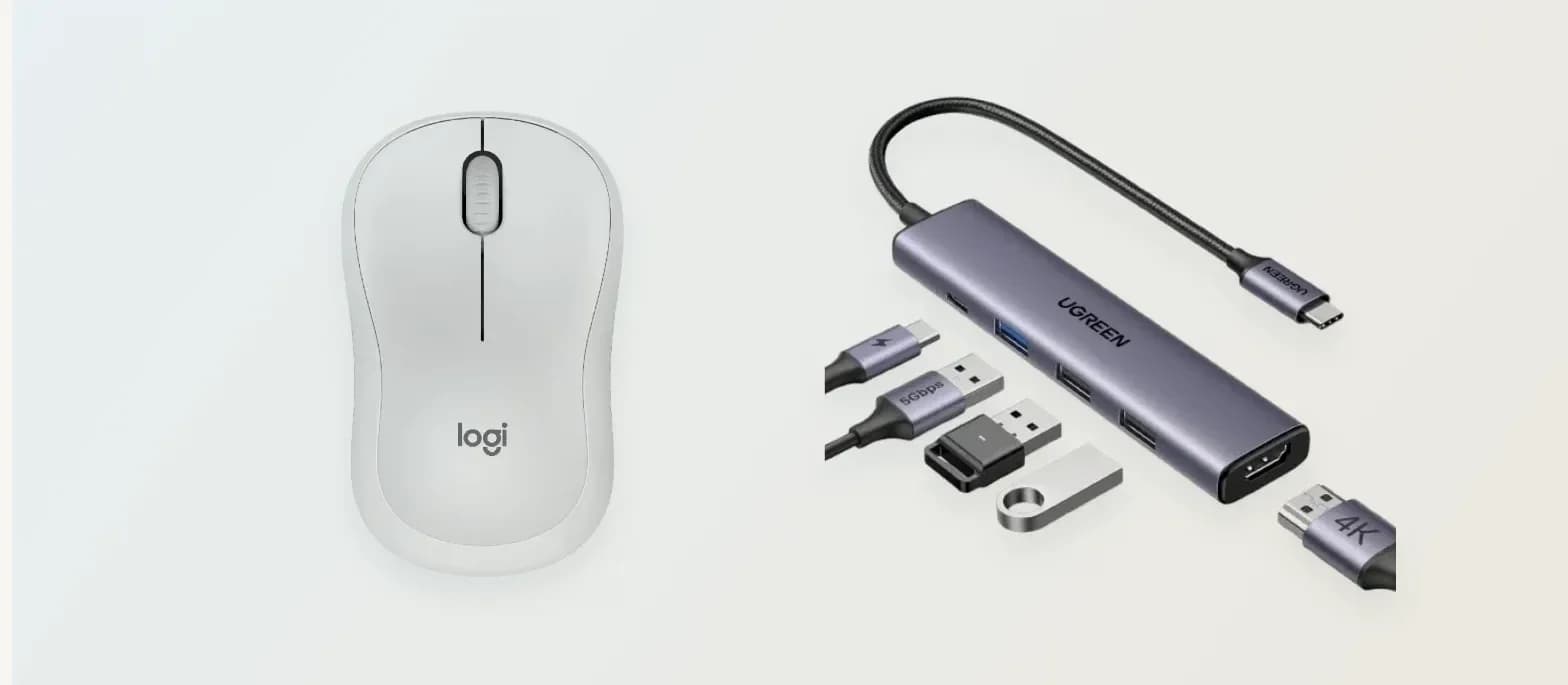
For someone working at the kitchen table while another person reads nearby, the Logitech M240 Silent makes a useful gift: less clicking, without giving up a familiar mouse. Quiet sounds can get surprisingly noticeable over a whole afternoon. Bluetooth also keeps a laptop's USB ports free, without another tiny receiver to lose.
Key features: this mouse favors straightforward everyday use.
Bluetooth connectivity supports compatible Windows, macOS, ChromeOS, Linux and Android devices.
A compact, symmetrical shape accommodates either hand.
One AA battery comes installed; Logitech rates battery life at up to 18 months, depending on use.
Good fit: A laptop user who wants a simple wireless mouse for browsing, documents and everyday work. Quieter clicking is the main advantage of this gift.
Choose something else if: Their computer lacks Bluetooth, they want a larger palm-filling mouse, or the gift is meant for competitive gaming.
A sensible gift when the annoying part of the old mouse is the noise.
Its compact body and basic controls are worth checking before replacing a mouse someone already likes.
4. Glocusent Rotatable Book Light: read without switching on the room light
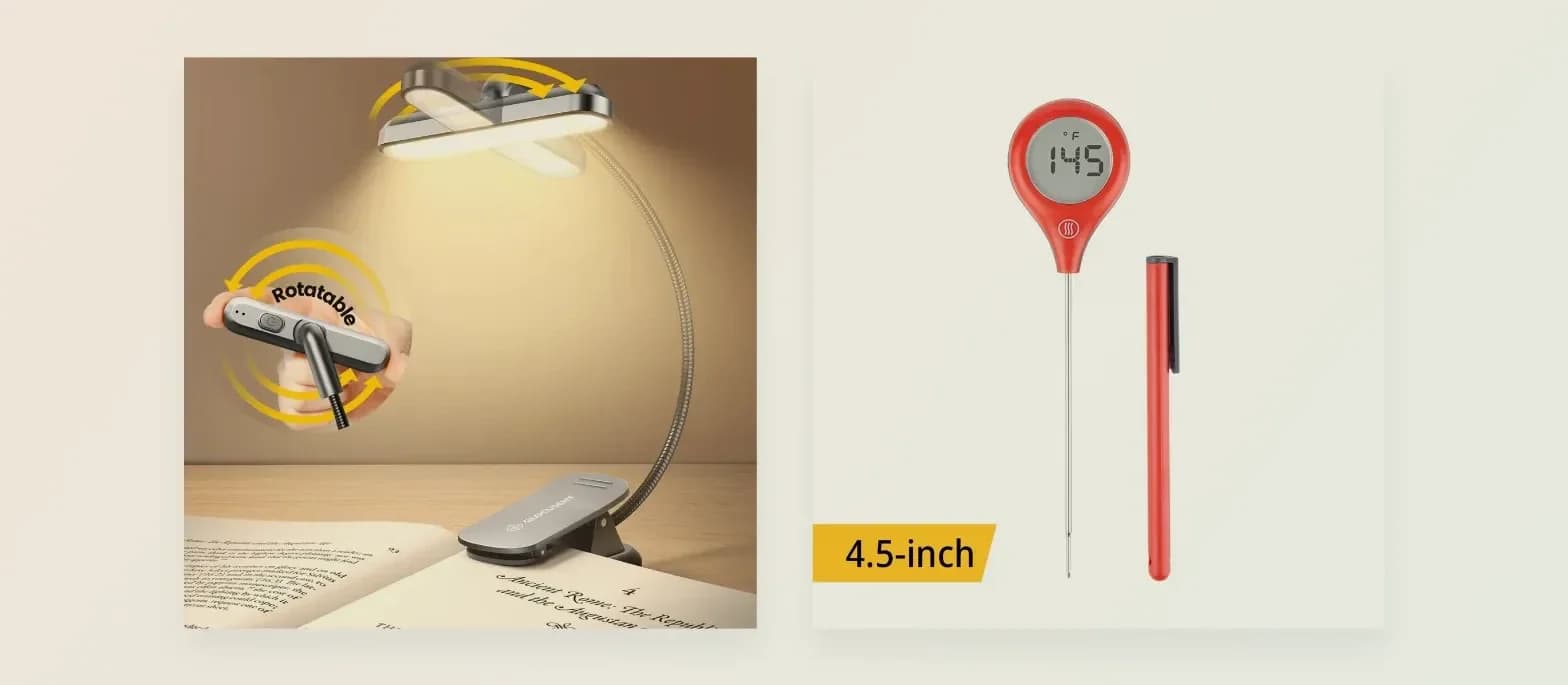
The Glocusent Rotatable Clip-on Book Light is a tech gift for a reader who wants light on the page rather than across the bedroom. The head turns to follow the book, so a paperback and a wider hardback do not have to sit at the same awkward angle. Brightness and color adjustments let the reader choose the light they prefer.
Key features: the light can be adjusted around the book.
A 340-degree rotating head changes the direction of the beam.
Three color-temperature settings and adjustable brightness offer different reading preferences.
USB-C charging cable included; a wall adapter is not included.
Good fit: A paper-book reader with access to a suitable USB charging source. Aim the gift at their reading habit rather than buying another general-purpose desk lamp.
Choose something else if: They need to illuminate a whole work surface. A small clip-on light is also unnecessary for an e-reader whose built-in light already suits them.
A thoughtful gift for a real bedtime-reading routine.
Aimed light can reduce spill, but it cannot guarantee that a light-sensitive partner will not notice it.
5. UGREEN Revodok 105 hub: give a thin laptop its useful ports back
Give the UGREEN Revodok 105, model 15495, to the laptop owner who keeps borrowing adapters for a monitor, mouse or flash drive. It groups everyday ports into one small hub. The important detail is the laptop's USB-C capability: a connector that fits does not automatically support an external display.
Key features: this five-port hub covers a modest desk setup.
HDMI supports up to 4K at 30Hz with a compatible host and display.
One USB-A port supports up to 5Gbps; two USB-A 2.0 ports suit simpler peripherals.
USB-C Power Delivery input accepts a charger rated up to 100W; the hub uses some power itself.
Good fit: A compatible laptop owner connecting an existing screen and USB accessories. The gift adds flexibility without a full-size docking station.
Choose something else if: They need a 4K 60Hz desktop, Ethernet or an SD-card slot. A charger and HDMI cable are separate requirements, not part of this gift's listed price.
A useful gift after you check the laptop's exact USB-C specification.
For a monitor-heavy workstation, the 30Hz ceiling may justify a different hub.
6. JBL Go 4 speaker: stop making the phone do all the listening work
A JBL Go 4 gives someone's playlist a place beside the kitchen counter or balcony chair, making it a useful tech gift for listening around the house. Pair it with a phone and the audio can stay beside the listener while the phone stays out of the way. Its compact size suits close listening, especially when a larger speaker would become another thing to store.
Key features: portability is the reason to choose this speaker.
Bluetooth playback from a compatible phone or other audio source.
IP67 dust and water resistance adds protection around everyday splashes.
JBL rates playback at up to seven hours, with up to two extra hours in Playtime Boost mode; actual runtime varies.
Good fit: Someone who wants a portable speaker for a desk, small gathering or travel bag. This gift does not need a smart-home system.
Choose something else if: They want a speaker that independently plays internet radio, or expect deep bass throughout a large room. Keep a suitable USB charging source available.
Give the Go 4 for music that follows someone around the house.
A compact Bluetooth speaker still depends on a source device for its audio.
7. OXO Sweep & Swipe cleaner: deal with the crumbs beside the keyboard
The OXO Good Grips Sweep & Swipe Laptop Cleaner is a modest tech-accessory gift for someone whose laptop travels between a desk, sofa and coffee shop. A retractable brush deals with loose debris, while the microfiber pad addresses everyday smudges. It is an uncomplicated addition to a laptop bag, especially for a person who already owns all the gadgets they want.
Key features: two cleaning surfaces handle different jobs.
A retractable brush sweeps loose dust and crumbs from accessible surfaces.
A shaped microfiber pad reaches into screen corners.
A protective cap covers the pad in storage; the cleaner needs no battery or app.
Good fit: A laptop or tablet owner who appreciates a small, practical gift. It is particularly easy to pair with a card or another inexpensive present.
Choose something else if: You expect it to fix sticky keys, scratches or internal dust buildup. Check the screen's care instructions and keep the cleaning pad free of grit.
A useful little gift for routine device care.
It is a surface-cleaning accessory, not a repair kit.
8. Logitech Pebble Keys 2 K380s: make tablet typing less of a chore
Give the Logitech Pebble Keys 2 K380s to someone who enjoys their tablet until it is time to write more than two sentences. Its low-profile keys provide a familiar typing surface, and the keyboard can switch between three paired devices. That also makes this tech gift useful at a small desk shared by a work laptop and a personal computer.
Key features: this keyboard is designed to move between devices.
Bluetooth pairing with compatible Windows, macOS, iPadOS, iOS and Android devices.
Three Easy-Switch buttons select the paired device you want to type on.
A compact layout with quiet, low-profile keys keeps the keyboard portable.
Good fit: A tablet user who wants to write emails or notes with physical keys. Choose the keyboard layout the gift recipient normally uses.
Choose something else if: They rely on a separate number pad, want illuminated keys or prefer mechanical switches. It also does not provide a stand to hold up a tablet.
A useful gift when the tablet is already right, but typing on it is not.
Check how the tablet will stand on the table before wrapping the keyboard.
9. Anker Nano 30W charger: keep a charger where it is actually needed
The Anker Nano Charger A2147 is a practical tech gift for someone forever moving a single power adapter between the bedroom and work bag. A second charger solves that routine without replacing the phone. The small US plug folds for packing, making this a useful choice for a travel pouch as well as a permanent bedside charging spot.
Key features: match the charger to the device and cable.
One USB-C output supplies up to 30W to compatible devices.
A compact body and folding plug reduce bulk in a bag.
The adapter works with an appropriate USB-C charging cable; the device determines the power it accepts.
Good fit: Someone who already owns a suitable cable and needs another charging location. At this price, there is room to add a separately checked cable if the gift needs one.
Choose something else if: They need to charge several devices at once, have only a USB-A cable, or need a higher-power laptop adapter. Do not assume 30W means maximum charging speed for every phone.
An easy gift when the real problem is having only one charger.
The cable and the recipient's device matter as much as the wattage on the box.
10. ThermoWorks ThermoPop 2: stop cutting dinner open just to check it
The ThermoWorks ThermoPop 2 is a tech gift for a cook who keeps slicing into a roast to see how it is doing. The 4.5-inch probe version gives a quick spot reading, making it useful for checking different parts of a dish. There is no phone connection to arrange while dinner is already on the stove.
Key features: the display and probe make the difference here.
The 4.5-inch version has a manufacturer-rated response time of two to three seconds.
A rotating, backlit display helps when the probe is held at an awkward angle.
IP67 water resistance helps with routine rinsing; this is a battery-powered standalone tool.
Good fit: A home cook who wants a readable, quick-check thermometer. Choose this gift for an existing cooking interest rather than as a comment on someone's skills.
Choose something else if: They want to leave a probe inside the oven and monitor it remotely. ThermoPop 2 is for taking a reading and removing the probe.
A kitchen tech gift with one clear job: replace guesswork with a reading.
For continuous cooking alerts, choose a dedicated leave-in thermometer instead.
Make a small tech gift feel complete
A complete tech gift includes the little detail that lets someone enjoy it immediately: a compatible cable, a charged battery or a note showing which laptop port to use. Keep the receipt, especially for keyboards and mice where comfort is personal. For a strict $50 budget, a $15 accessory with everything it needs can be a more successful gift than a $49.99 device that still requires another purchase.
Questions before you buy
What is a useful tech gift under $50 if I do not know their phone model?
Choose a tech accessory that does not depend on the phone's operating system: the elago cable organizer or OXO cleaner are options here. You still need to check physical fit or cleaning instructions, but you avoid guessing between USB-C, Lightning and wireless-charging standards.
Should I give two small tech gifts instead of one?
Two tech gifts work well together when they solve one problem: a compatible charger and cable, for example. Avoid spending the remaining budget on unrelated extras. Check the combined price, shipping and tax rather than assuming two inexpensive items will stay below $50.
Are these tech gifts under $50 without a subscription?
None of these gifts requires a paid device subscription for the core function described. That does not include any paid music or audiobook service the recipient separately chooses to play through their devices.
Best of the week — in your inbox
No spam. Only top Gosta stories. Unsubscribe in one click.
Comments