
ManyChat Review – Pricing, Features, and Business Benefits
A detailed review of ManyChat, the leading chat marketing automation platform. Discover how ManyChat helps businesses automate customer communication on WhatsApp, Facebook, and Instagram. How can you create a chatbot without coding? What are the pricing plans? Explore its features and benefits.

Contents12
- What is ManyChat?
- Key Information About ManyChat
- Key Features of ManyChat
- ManyChat Pricing: How Much Does Chat Marketing Automation Cost?
- Who is ManyChat for?
- How to Get Started with ManyChat?
- ManyChat Pros & Cons
- Official ManyChat Video Review
- Helpful Tips for Setting Up ManyChat
- Common ManyChat Mistakes & How to Fix Them
- Is ManyChat Worth Using?
- Frequently Asked Questions
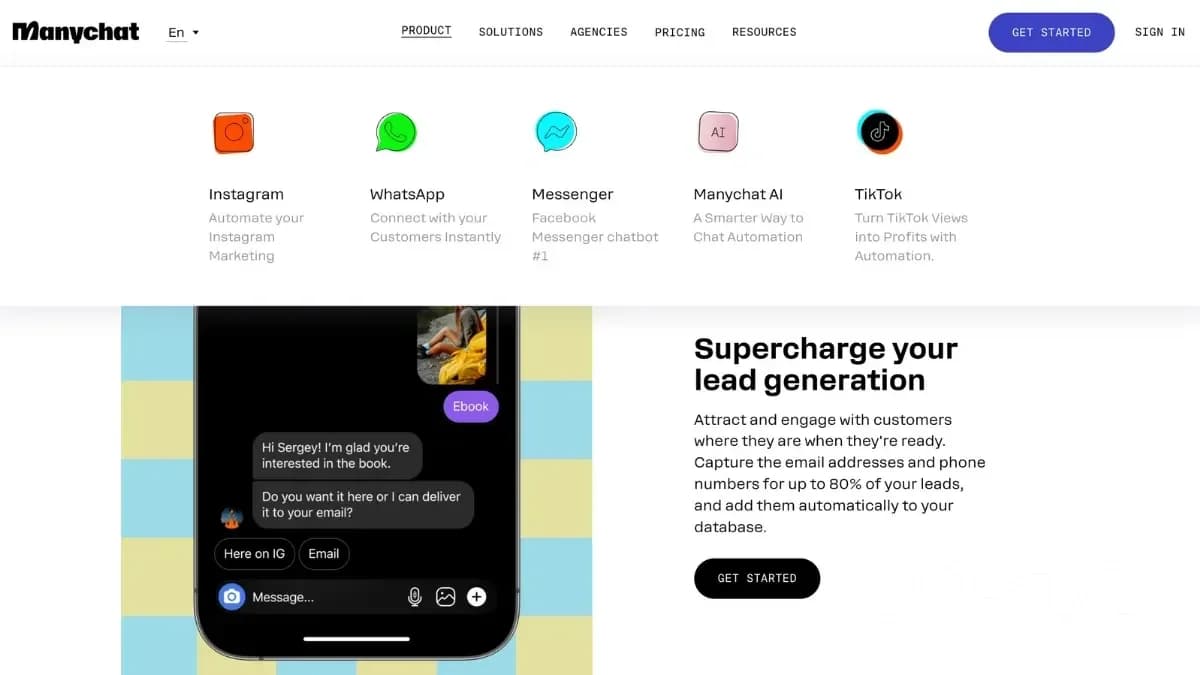
ManyChat provides an intuitive chatbot builder that helps businesses set up automated responses, segment audiences, and enhance communication. With support for Instagram, WhatsApp, and Facebook Messenger, it is suitable for both small businesses and large enterprises.
What is ManyChat?
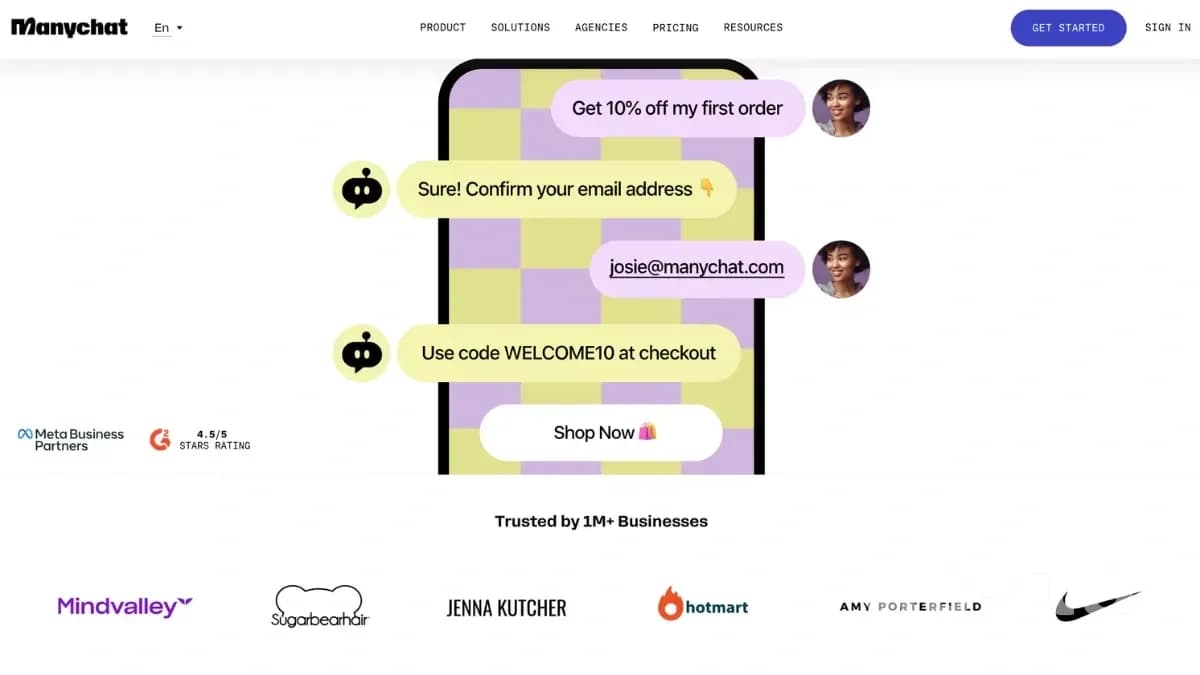
ManyChat is a chat marketing automation platform that enables businesses to interact with customers through Instagram, WhatsApp, Facebook Messenger, SMS, and more. It allows users to create chatbots without coding skills, automate responses, and increase conversions through interactive conversations.
Start for Free
Key Information About ManyChat
Many businesses choose ManyChat due to its flexibility and seamless integration with messaging platforms. The platform allows users to quickly set up automated chatbots, handle customer inquiries, and collect leads for future interactions. Below are the key characteristics of ManyChat to help evaluate its capabilities for chat marketing.
Feature | Description | Official Website |
|---|---|---|
manychat.com | Supported Platforms | Instagram, WhatsApp, Facebook Messenger, SMS, Telegram |
Key Features | Chat automation, lead collection, CRM integration, analytics, AI capabilities | Target Audience |
Small & medium businesses, marketing agencies, e-commerce, content creators | Pricing | Free plan up to 1,000 contacts; paid plans start at $15/month with expanded features |
Basic information about ManyChat - a chat marketing automation platform
Key Features of ManyChat
ManyChat offers a wide range of features for chat marketing automation, making it easier for businesses to engage with customers, increase conversions, and improve support quality. The platform allows chatbot customization, performance tracking, and integration with various messaging apps.
Below are the core features of ManyChat:
Flow Builder. Create chatbots using a drag-and-drop interface with no coding required.
Custom Fields & Tags. Store user data for personalized messaging and audience segmentation.
Multi-Platform Integration. Supports Facebook, Instagram, WhatsApp, SMS, and Telegram to reach a broad audience.
Growth Tools. Engage new users through website widgets, automated social media replies, and lead magnets.
Broadcasts & Sequences. Send mass messages and automated follow-up sequences to improve user engagement.
Live Chat. Transfer conversations from bots to real agents for personalized customer support.
Analytics & Reports. Track chatbot performance and optimize marketing strategies with detailed insights.
AI Capabilities. Includes intent recognition, AI-driven automation, and smart conversation flows.
ManyChat Pricing: How Much Does Chat Marketing Automation Cost?
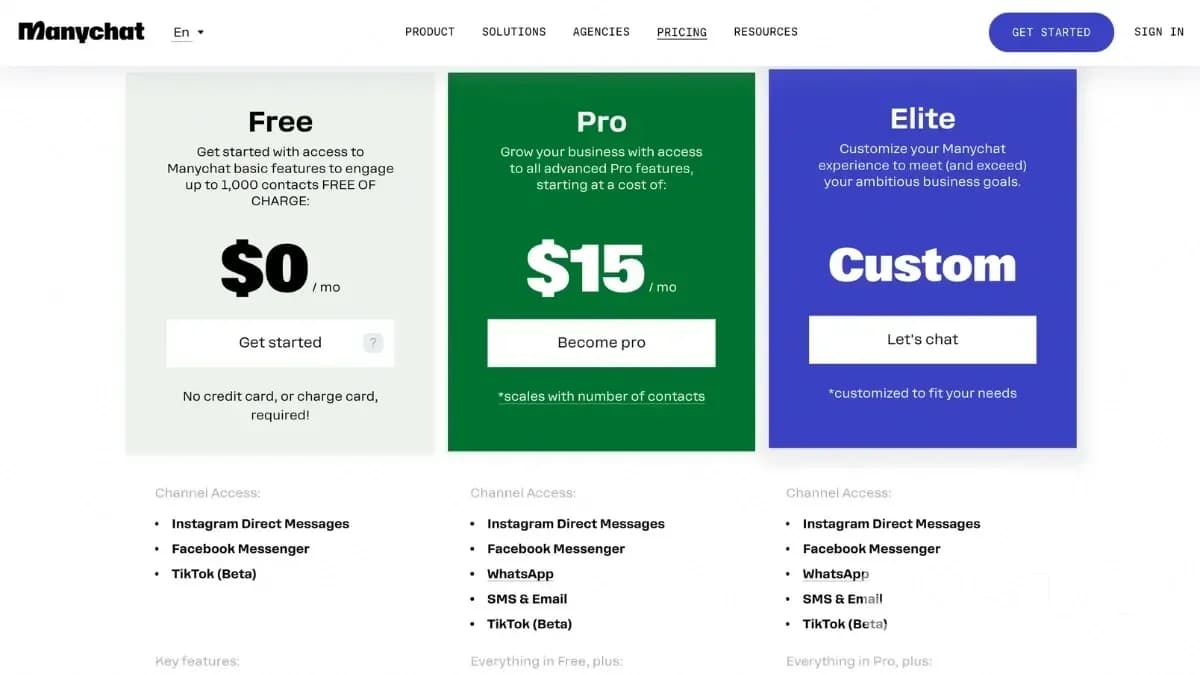
ManyChat offers flexible pricing that allows businesses to choose the best plan based on their needs. The free plan supports up to 1,000 contacts with basic automation features. For access to advanced integrations, AI capabilities, and increased contact limits, paid plans start at $15/month.
Below, you can see the latest pricing plans for ManyChat.
Choose ManyChat pricing
Who is ManyChat for?
ManyChat is ideal for various types of users who want to automate chat marketing, improve customer communication, and boost sales with chatbots. The table below highlights the primary user groups that benefit the most from ManyChat:
User Category | How ManyChat Helps |
|---|---|
Small & Medium Businesses | Automates customer inquiries, boosts engagement, and streamlines messaging. |
Marketing Agencies | Enables fast chatbot deployment, campaign automation, and performance tracking. |
E-commerce Stores | Optimizes sales processes, handles orders, and sends abandoned cart reminders. |
Content Creators & Influencers | Automates social media replies, helps collect contacts and engage audiences. |
Customer Support Teams | Reduces workload for human agents by handling common customer questions. |
Educational Platforms | Automates course reminders, student engagement, and personalized learning. |
Who is the ManyChat platform for: main categories of users
Depending on your needs, ManyChat can be customized for small companies and large-scale projects that actively use chat marketing.
How to Get Started with ManyChat?
You don't need technical expertise to start using ManyChat. The platform features an intuitive dashboard and step-by-step setup to help users create their first chatbot quickly.
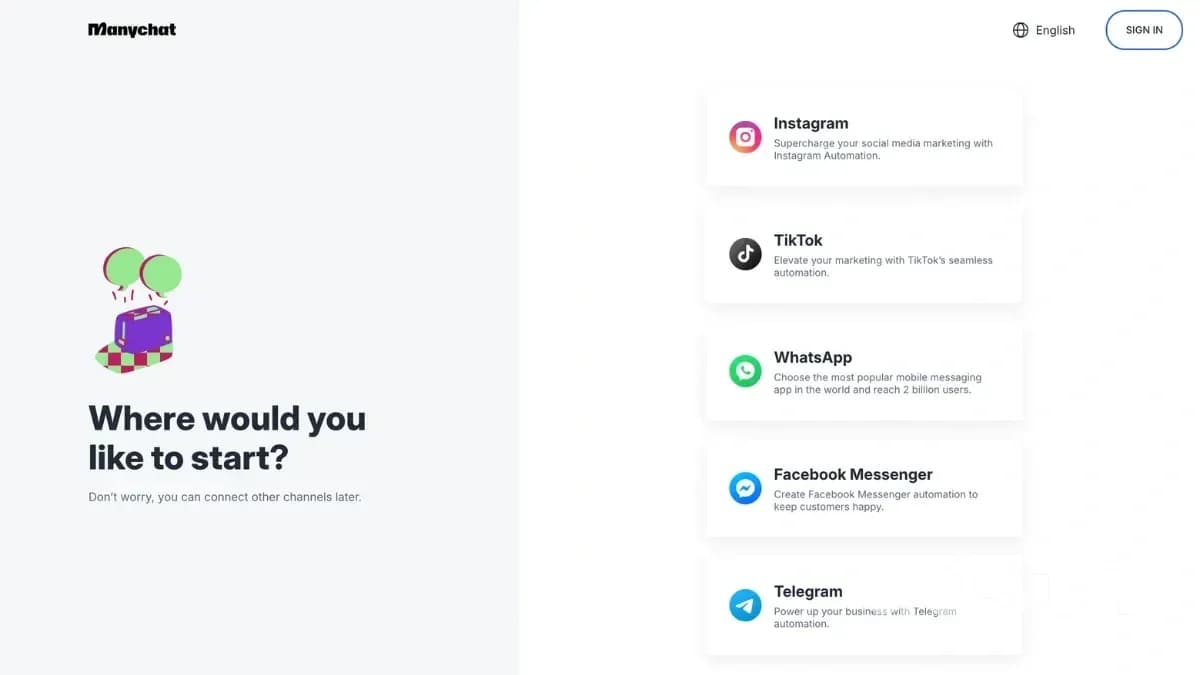
Below are the key steps to getting started with ManyChat:
Sign Up. Create an account on the official ManyChat website.
Connect Social Accounts. Integrate your profiles from Instagram, Facebook Messenger, or WhatsApp.
Build a Chatbot. Use the Flow Builder to design automated conversation scenarios.
Set Up Growth Tools. Add website widgets or automated social media replies to attract more users.
Test & Launch. Ensure your chatbot works properly before activating it for customer interactions.
ManyChat Pros & Cons
ManyChat is a powerful automation tool that enhances customer engagement, generates leads, and improves conversion rates across Instagram, WhatsApp, Facebook Messenger, SMS, and Telegram. With its AI-driven automation, analytics, and CRM integrations, ManyChat helps businesses streamline communication and optimize sales.
However, as with any platform, ManyChat has both strengths and limitations, which should be considered before choosing it. Below is a summary of the pros and cons of ManyChat for businesses.
Advantages | Disadvantages |
|---|---|
Intuitive user interface. The visual Flow Builder allows for quick chatbot creation without programming skills. | Free plan limitations. Supports only up to 1,000 contacts, and a paid plan is required for advanced features. |
Support for all major platforms. Works with Instagram, WhatsApp, Facebook Messenger, SMS, and Telegram. | Dependence on social media policies. Changes in Facebook or WhatsApp policies may affect some ManyChat functionalities. |
Advanced automation tools. Includes auto-replies, conversation flows, audience segmentation, and message personalization. | Separate scenarios required for each platform. A single chatbot cannot function across all channels without individual configuration. |
CRM and third-party service integrations. Connects with HubSpot, Zapier, Shopify, Google Sheets, and e-commerce platforms. | Not all features are available on mobile devices. Some settings are easier to configure via PC. |
Powerful analytics. Tracks performance results, supports A/B testing, and improves marketing funnels. | Time required for setting up complex scenarios. Some functions may be difficult for beginners without prior learning. |
AI-powered automation. Includes intent recognition, AI-driven steps, and smart responses. | Not suitable for all types of businesses. For example, B2B companies with long sales cycles may find ManyChat less effective. |
Growth Tools. Automates social media replies, lead generation, and website widgets. | |
Optimized customer support system. Features Live Chat, quick replies, and automated issue resolution. | |
Flexible settings and scalability. Suitable for both small businesses and large enterprises. |
Advantages and Disadvantages of the ManyChat Chat Marketing Automation Platform
Official ManyChat Video Review
If you're new to ManyChat or want to explore its capabilities, check out the official video review. The video covers key features, chatbot setup, and platform integration with major messaging apps to help businesses automate customer communication effectively.
Additionally, ManyChat offers a free video course on its official website, providing a step-by-step guide on using the platform efficiently and optimizing chatbot automation for better customer engagement.
Helpful Tips for Setting Up ManyChat
To maximize the potential of ManyChat, proper configuration of all automation features is essential. This helps optimize customer interactions, increase conversion rates, and prevent common chatbot errors. Below are some key tips to ensure a smooth ManyChat setup:
Optimize chatbot flows for each platform. Create separate chatbots for Instagram, WhatsApp, and Facebook Messenger, considering each channel's unique features.
Leverage AI for personalization. ManyChat's AI assistant helps create dynamic and context-aware conversations with customers.
Set up triggers for instant responses. Use Growth Tools to automate replies to comments, direct messages, and inquiries.
Test your chatbot before launching. Run multiple scenario tests to ensure smooth interactions and identify any logic issues.
Utilize analytics for continuous improvements. Monitor user engagement data and refine chatbot automation accordingly.
Common ManyChat Mistakes & How to Fix Them
To avoid performance issues, it's important to configure chatbot scenarios properly, integrate with CRM, monitor analytics, and follow social media policies. Below is a table listing the most frequent ManyChat mistakes, their impact, and how to fix them:
Mistake | Consequences | Solution |
|---|---|---|
Incorrect chatbot response settings | The bot may provide irrelevant answers or fail to respond. | Regularly test chatbot flows using the Debugging feature in ManyChat to identify and fix errors. |
Lack of CRM integration | Leads are not stored, making it harder to track and engage potential customers. | Set up CRM integration in the "Integrations" section to automatically collect and process lead data. |
Overly long chatbot flows with no branching | Users may lose interest due to long, repetitive conversations. | Create short, interactive sequences using Quick Replies & Buttons for better engagement. |
Ignoring social media platform policies | Violating Facebook, WhatsApp, or Instagram policies may lead to account suspension. | Follow platform guidelines and avoid spammy mass messaging to maintain compliance. |
Neglecting analytics and performance tracking | Harder to identify issues and optimize chatbot engagement. | Use ManyChat's built-in analytics to track engagement metrics and improve chatbot performance. |
What are the most common ManyChat errors and how to solve them
By following these solutions, businesses can enhance chatbot efficiency, prevent account issues, and improve user interactions.
Is ManyChat Worth Using?
ManyChat is a powerful and user-friendly chatbot automation platform that helps businesses streamline customer communication, collect leads, and increase conversions through Instagram, WhatsApp, Facebook Messenger, and other messaging channels.
With an intuitive interface, AI-powered automation, and built-in analytics, ManyChat is ideal for small and medium-sized businesses, marketing agencies, and e-commerce stores looking to simplify customer interactions without complex configurations. However, to get the most out of ManyChat, it's crucial to set up automation properly and be aware of free plan limitations.
Frequently Asked Questions
Tags
Best of the week — in your inbox
No spam. Only top Gosta stories. Unsubscribe in one click.
Comments