
Xbox Game Pass in November 2026: New Games, Dates and Which Plan You Need
Game Pass additions in November 2026 include new arrivals, games moving into another plan, and titles scheduled for the beginning of December.

Contents8
- What is joining Game Pass in the latest November wave?
- Which earlier November Game Pass additions are worth checking?
- How to choose the right Game Pass plan for a game
- Game Pass on console, PC, and cloud: what changes?
- Why a Game Pass addition may not be completely new
- How to check Game Pass costs before subscribing
- A Game Pass checklist before you plan a session
- FAQ
Game Pass additions in November 2026 include new arrivals, games moving into another plan, and titles scheduled for the beginning of December. Before subscribing for one particular game, check the date, device, and eligible plan on the same listing. A familiar title in a roundup does not mean it is available to every subscriber immediately.
The useful way to read a Game Pass announcement is as a checklist, not a single undifferentiated library. A PC release, a console release, a cloud option, and a new plan entitlement can be different entries even when they refer to the same game.
What is joining Game Pass in the latest November wave?
The latest November Game Pass wave is set out in the official November 17 Xbox Wire announcement. Its schedule includes titles arriving from November 18 through December 1, so the roundup crosses the month boundary.
Game Pass title | Listed date | Important plan detail |
|---|---|---|
Call of the Elder Gods | November 18 | Check the official entry for supported devices and plan eligibility |
Black Jacket | November 19 | Now with Premium; also listed for Ultimate and PC |
Motorslice | November 24 | Now with Premium; also listed for Ultimate and PC |
Sniper Ghost Warrior Contracts 2 | November 24 | Ultimate, Premium, and PC |
Arkheron, Game Preview | November 27 | Ultimate and PC |
The Outlast Trials | December 1 | Ultimate, Premium, and PC |
This selected Game Pass table is a planning aid rather than a claim that every game is available now. Read the individual official entry for the complete device list, and confirm the status in your own regional catalog before paying or arranging a multiplayer evening.
Which earlier November Game Pass additions are worth checking?
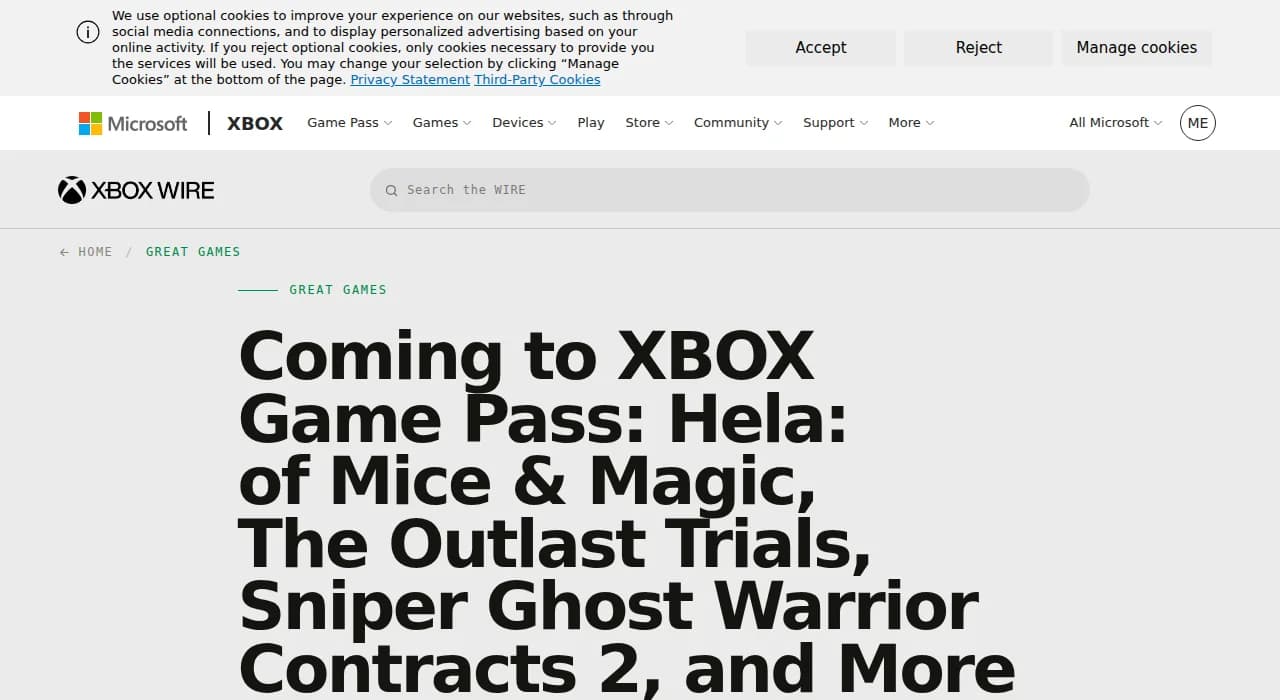
The earlier November Game Pass announcement provides another part of the monthly picture. The November 3 Xbox Wire roundup lists Football Manager 27 for PC on November 3, Football Manager 2027 Console on November 10, and Paw Patrol: Dino World on November 17, among other entries.
The distinction between those Football Manager listings is a useful Game Pass lesson: a similar name does not make two editions the same product on the same device. Check the version you want rather than assuming that a PC announcement guarantees console availability on that date.
Use both official Game Pass waves together when planning what to try this month. Avoid building a Game Pass list by copying an old page that has not yet incorporated the second announcement.
How to choose the right Game Pass plan for a game
Choose a Game Pass plan by starting with the games and devices you actually intend to use. Find each desired title in the official catalog and note which plan includes it. Then compare the subscription's wider benefits and current checkout terms.
The current official materials use names including Essential, Premium, Ultimate, and PC Game Pass. Do not substitute older plan labels from memory. The official subscription page is the place to confirm the current lineup and terms for your region.
A Game Pass plan with more features is not automatically better value if those features are irrelevant to you. Conversely, the cheapest option is not useful if the specific title or device you want is excluded. Write the requirement first, then choose the plan that meets it.
Game Pass on console, PC, and cloud: what changes?
Game Pass on console, PC, and cloud can involve different availability and requirements. A cloud listing describes streaming access where supported; a PC listing concerns a PC version; a console entry concerns the relevant console release. Keep those distinctions visible when you compare dates.
For a Game Pass session with friends, check each person's device, entitlement, game edition, and the game's own multiplayer arrangements. A shared subscription label does not, by itself, prove that a particular title supports the cross-platform play you have in mind.
If you plan to stream through Game Pass, consider the connection and controls you will use. A cloud option can be convenient, but its usefulness depends on the supported device and your circumstances. Do not rely on a demonstration from a different setup as a guarantee of the same experience.
Why a Game Pass addition may not be completely new
A Game Pass addition can mean a title is arriving for a new plan or device rather than making its first appearance anywhere in the service. Wording such as now with Premium is a clue to read the entry more carefully.
This matters if you already have access. An announcement can be good news for another group of Game Pass subscribers without changing your own library. It also explains why two articles may use different language about when a game joined.
When comparing Game Pass reports, ask which event each date describes: original release, initial subscription arrival, another platform, or another plan. The answer often resolves an apparent contradiction without needing to assume that one report invented its information.
How to check Game Pass costs before subscribing
Check Game Pass costs at the official checkout for the plan, region, and account you will actually use. Promotional first-month terms, eligibility, renewal pricing, and cancellation arrangements can change the total cost.
Do not treat a Game Pass trial offer as the normal monthly price or assume every existing member qualifies. Before confirming, read what happens after the introductory period and whether the subscription renews automatically under the displayed terms.
A practical Game Pass comparison can be very small: the game you want, its confirmed availability, the relevant plan, the total price for the period you expect to use, and the renewal date. That is more useful than buying a longer subscription solely because a roundup contains a large number of titles.
A Game Pass checklist before you plan a session
A Game Pass checklist helps prevent the disappointment of discovering a missing entitlement or wrong edition when everyone is ready to play. Check the important details before the event, not at the moment the first invitation arrives.
Confirm the exact Game Pass game and edition.
Check the Game Pass release date for your device.
Confirm the required Game Pass plan.
Check your regional catalog and account.
Read the game's multiplayer and cross-play information.
Allow time for the actual download or setup you need.
Game Pass questions
Are all November Game Pass announcements available immediately?
No. Game Pass announcements include scheduled dates, and the second November wave also lists a December 1 arrival.
Does a Game Pass PC listing guarantee a console edition?
No. Check each platform and edition separately in the official Game Pass entry.
Can a game leave Game Pass after I start playing?
The Game Pass catalog changes. Check official leaving-soon information and the current terms rather than assuming that an addition is permanent. Check again before arranging a shared session, particularly if friends use different devices or subscribe through accounts based in another region altogether.
Best of the week — in your inbox
No spam. Only top Gosta stories. Unsubscribe in one click.
Comments